Online bookings
Give your clients the ability to check your availability in real time, book 24/7, and receive immediate confirmation – while your calendar updates automatically.
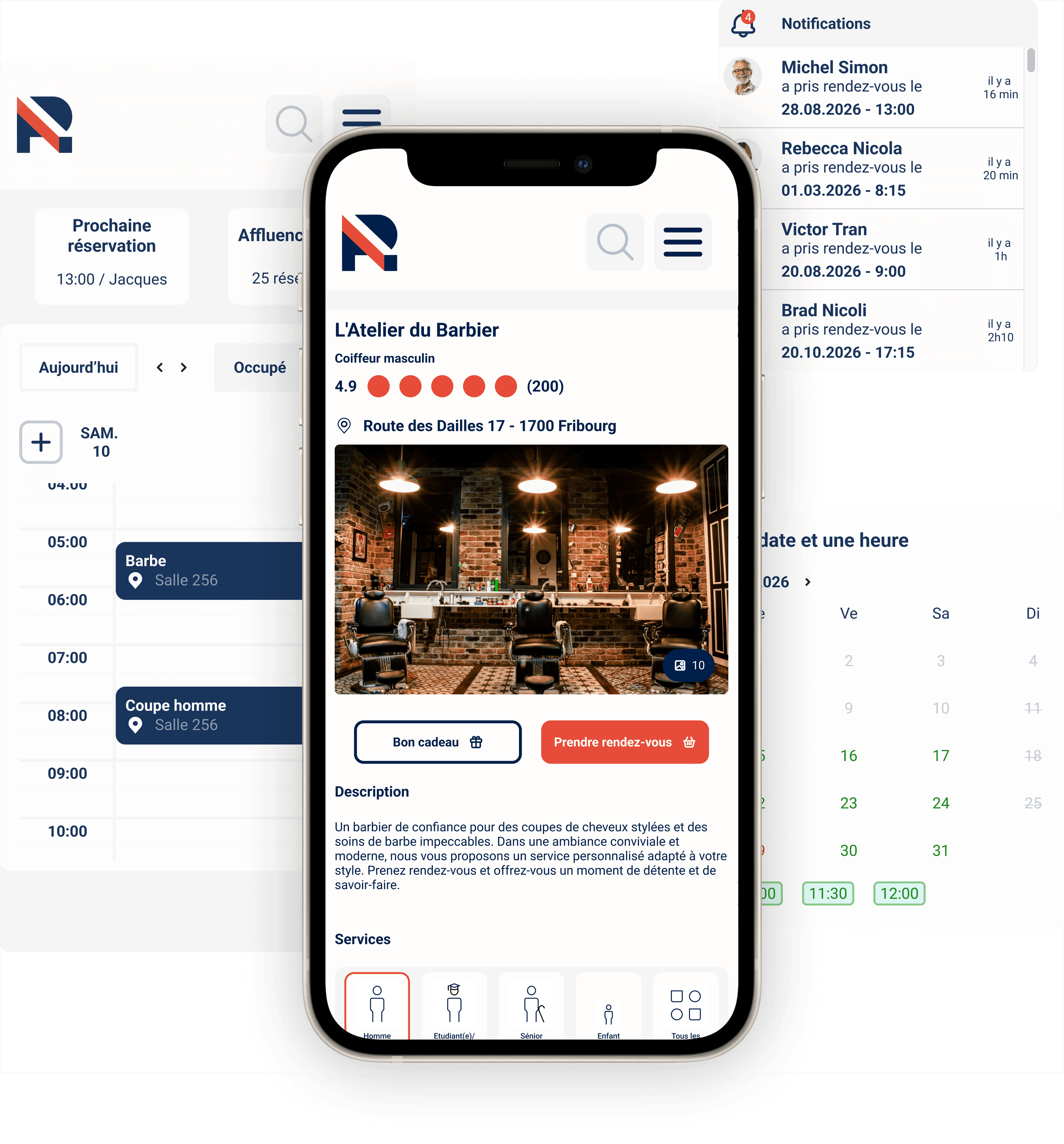
Set up your booking mini-site in a few steps
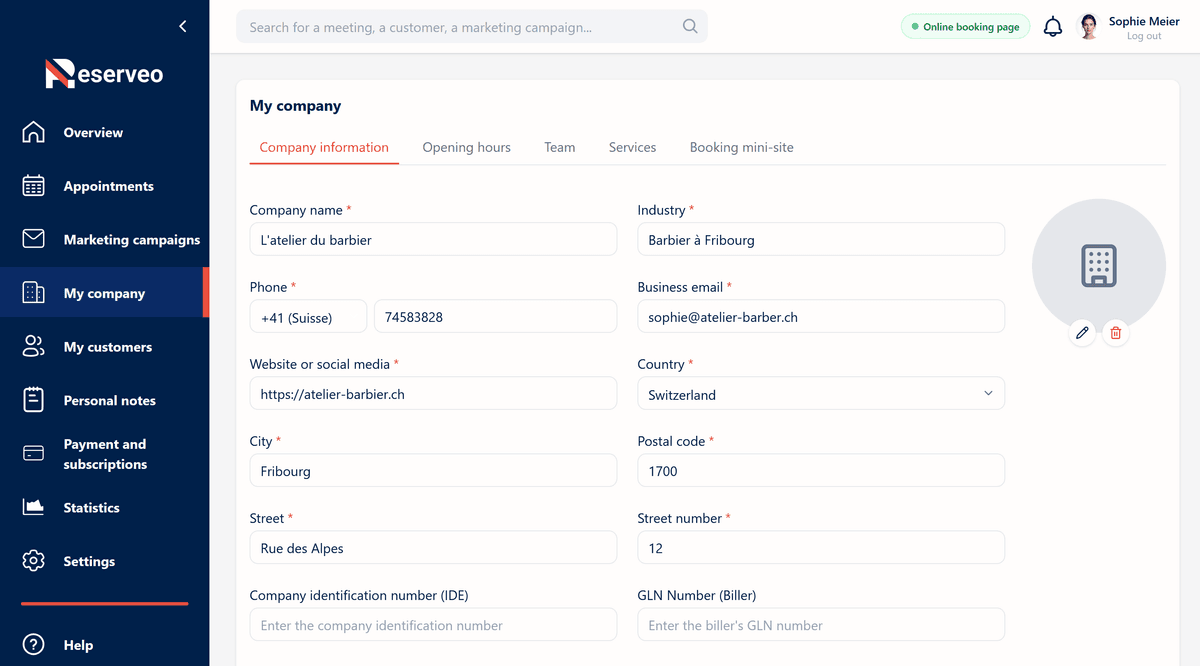
1. Fill in your general information
Add your company name, logo, and all contact details so your clients can easily identify you.
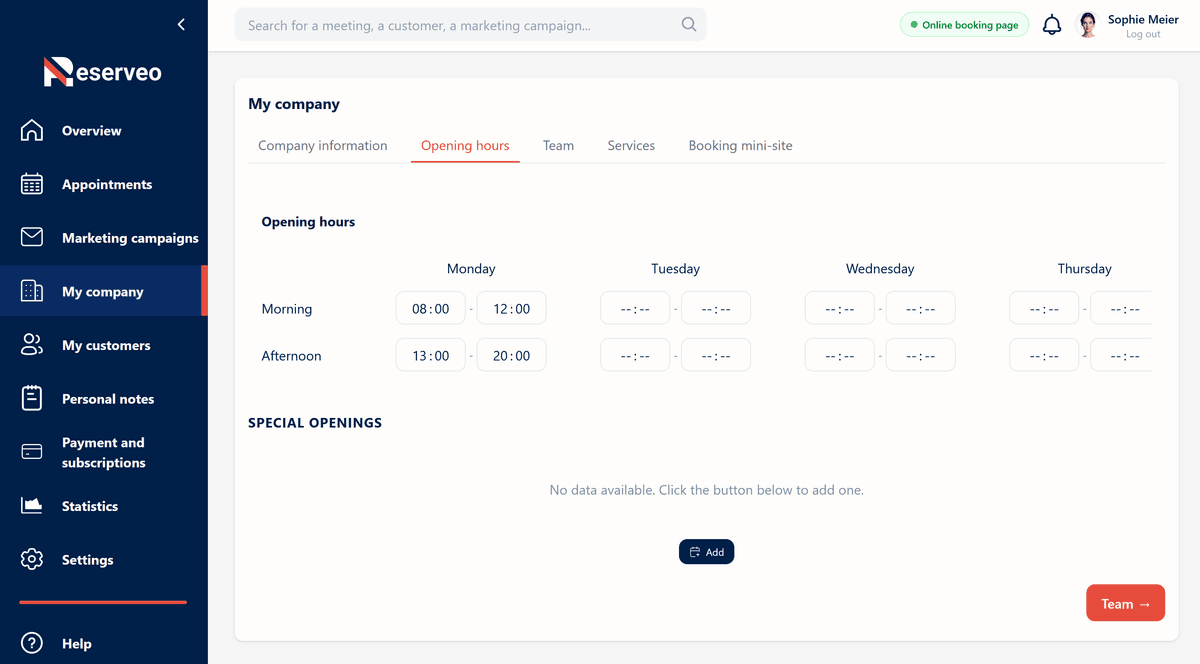
2. Set your opening hours
Enter your availability so clients can only book during your free time slots.
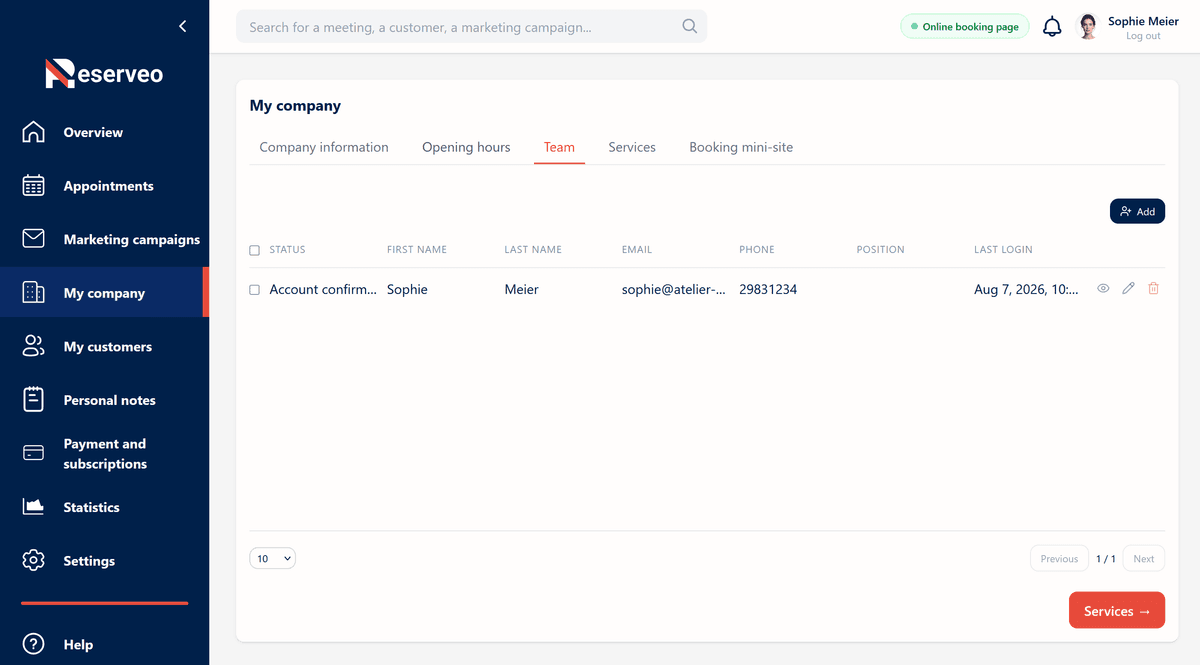
3. Add your team members
Invite your team members so they have access to their own personal calendar without accessing confidential company information (statistics, revenue, marketing campaigns, general settings, etc.).
4. Add your services
Create your services with their duration, price, and a description so clients know exactly what you offer. Assign services to your team members so clients can choose their preferred provider.
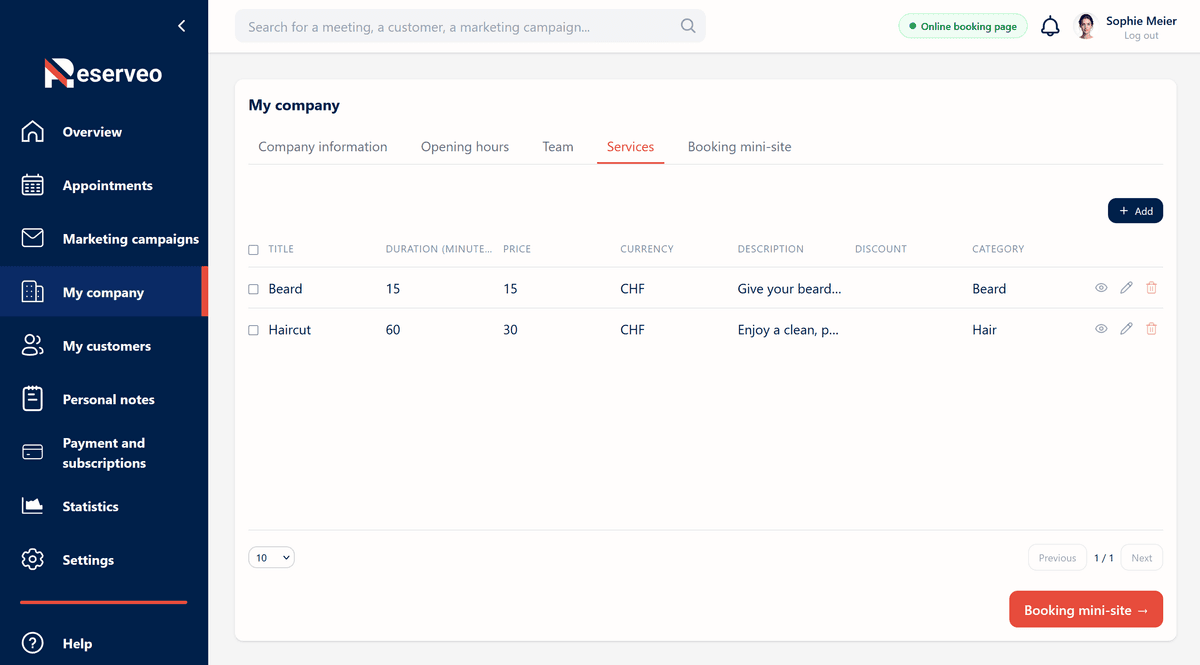
5. Your mini-site is ready!
Your mini-site is now ready for your clients. Share it on your social media or directly embed our booking widget so clients can make reservations right away!
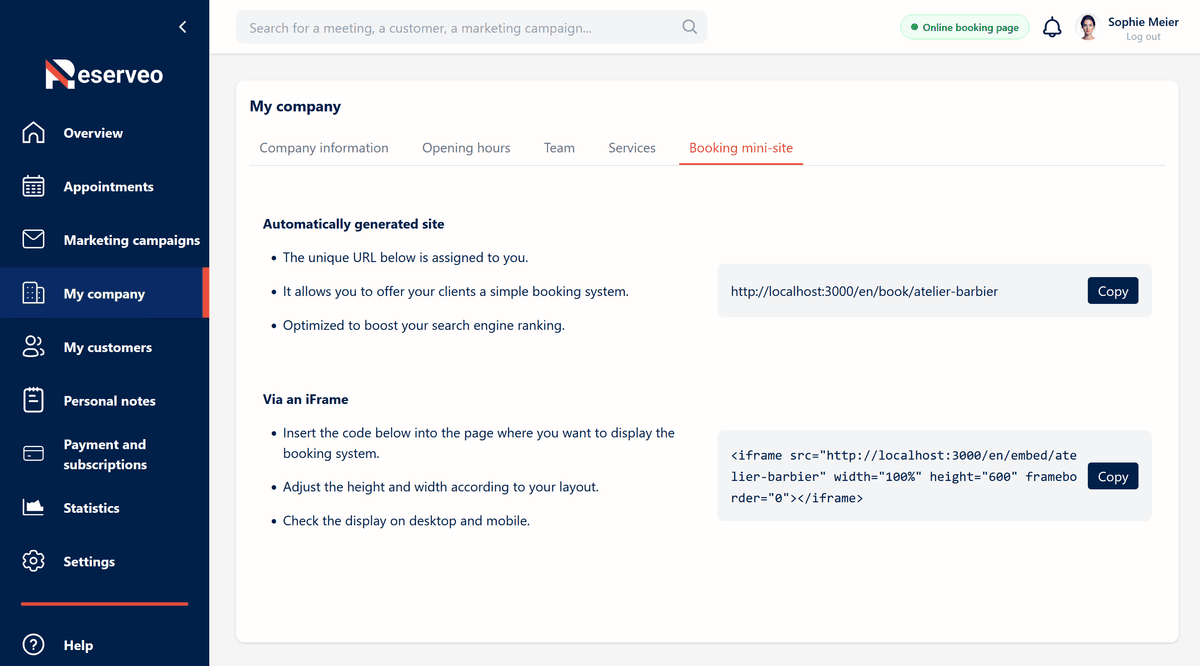
6. View your booking mini-site
You can view your online booking mini-site and verify that all information is correct. You can also share it with your clients so they can book directly from your site.

Your booking mini-site offers clients a simple and seamless booking experience
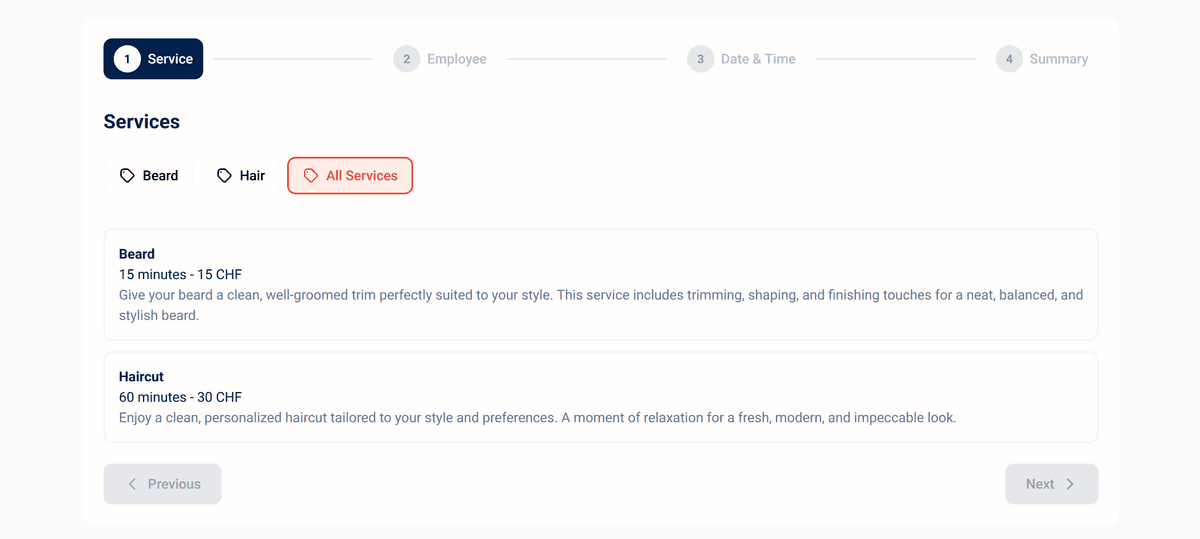
1. Clients choose the service they want
Your clients can book your services online 24/7 within the time slots you have defined. They receive instant confirmation by email or SMS.
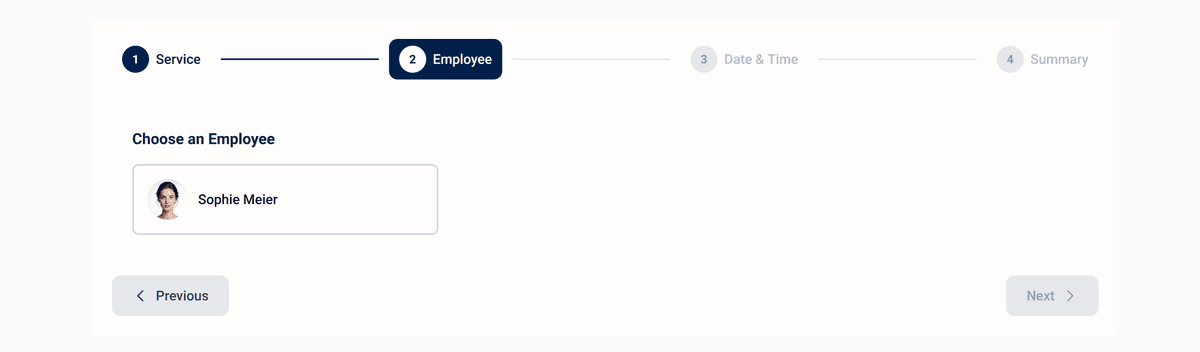
2. Clients choose their preferred team member
Your clients choose their favourite team member to carry out the desired service.
3. Clients choose the date and time that suits them
Your clients choose the date and time that suits them based on your availability – the calendar updates in real time.
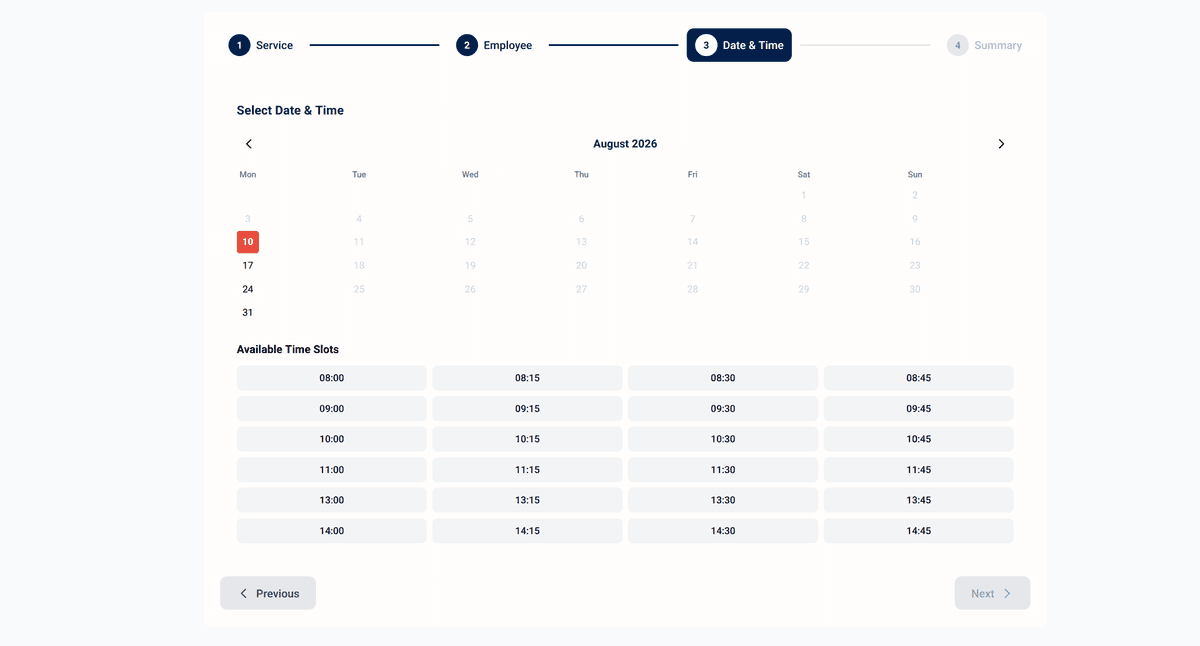
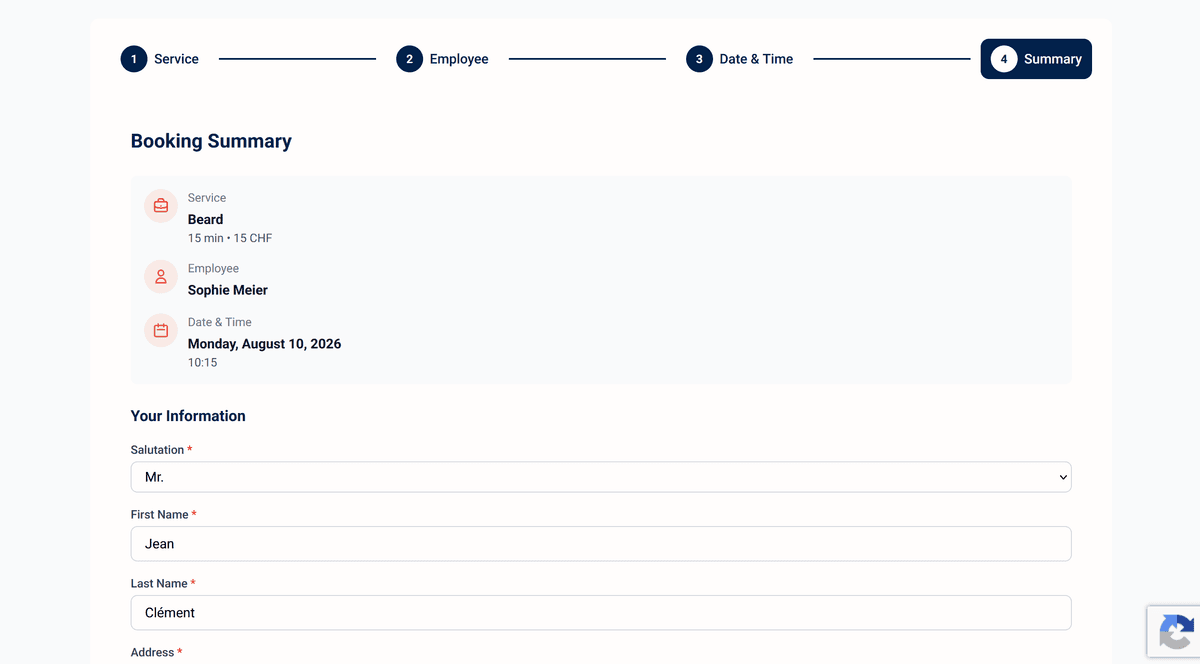
4. Clients enter their personal information and confirm the booking
Your clients enter their personal details and confirm the booking – they receive instant confirmation by email or SMS and your calendar updates automatically.
Discover all the features of Reserveo

Online booking

Appointment management

Customer management

AI-powered marketing campaigns

Detailed statistics